Start with a copy.
Open the free carousel and choose Use this template in Canva. Follow Canva’s prompts to create your own copy, then give it a name. A Canva account is required: if the link asks you to sign in, sign in or create an account, then open the link again. Your edits belong to your copy, so you can always go back to the original for a fresh start.
Set your colors and type.
Colors
The free carousel uses four. Pick one of yours for each:
- Blush becomes a soft tint of your main brand color.
- Oxblood becomes your darkest brand color.
- Tomato becomes your brightest accent.
- Cocoa, the words on the Tomato slide, stays dark: keep it or use your near-black.
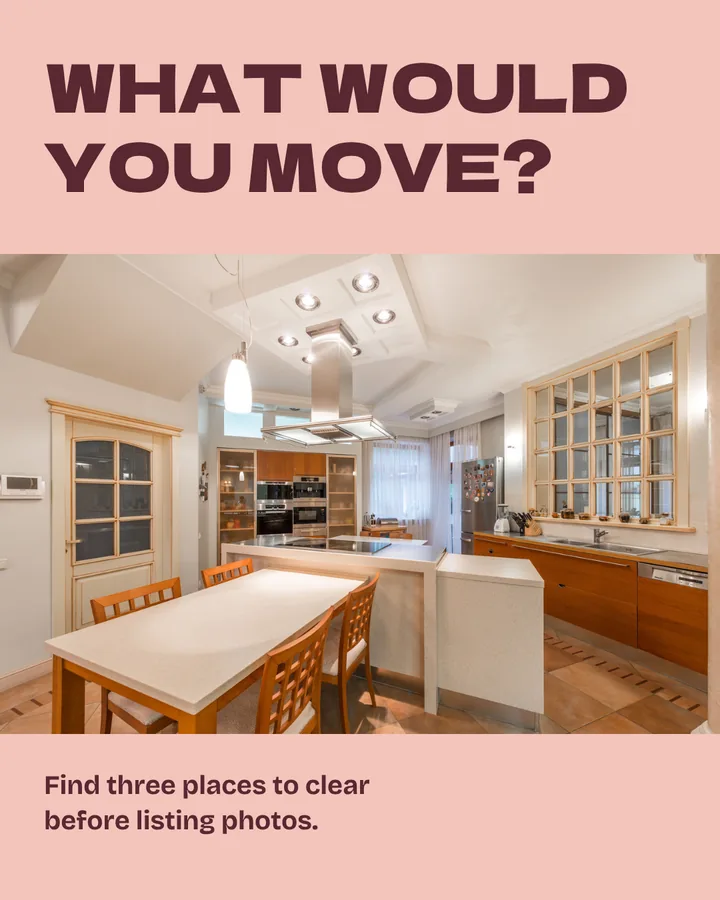
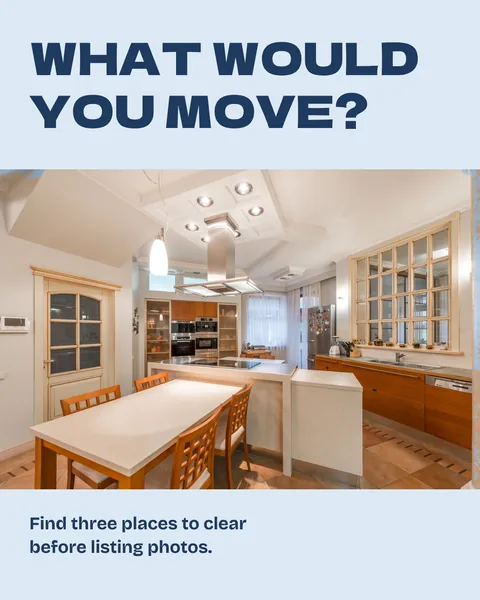
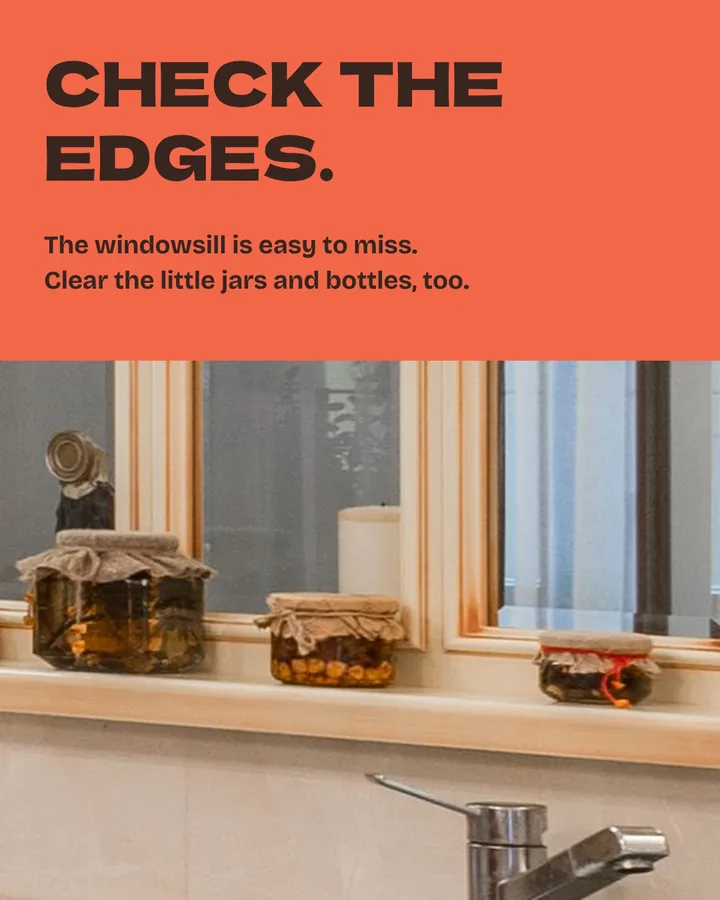
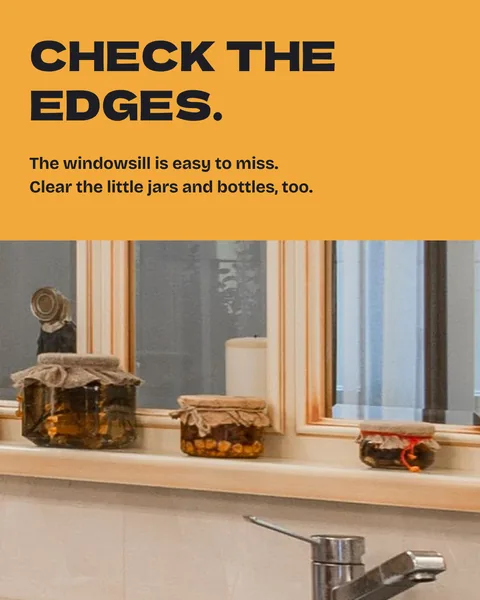
Left, slides 1 and 4 as they come. Right, the same slides in an example agent’s colors: sky, navy, marigold and near-black. In Canva, for each color:
- Select an element that uses it, such as the cover’s background, and click its color tile on the editor toolbar. The Color panel opens on the side, or below on a phone.
- Click Add a new color, the rainbow tile, and enter your hex code.
- Choose All pages.
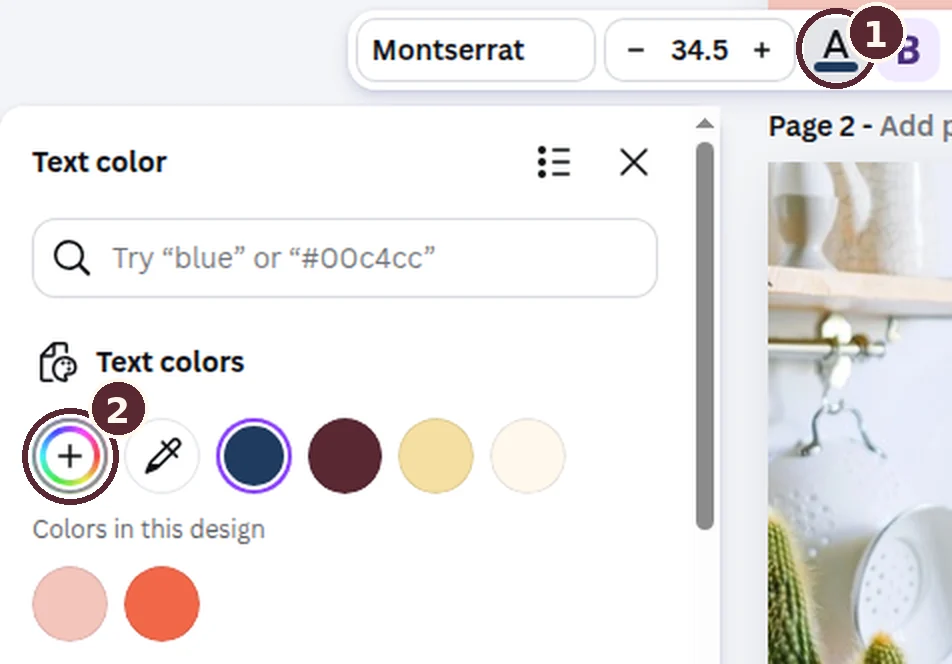
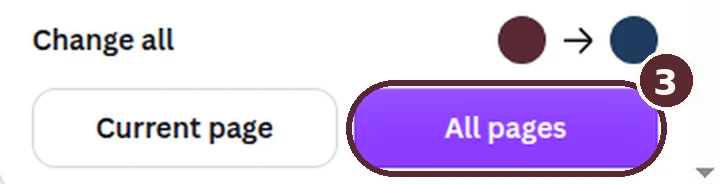
Changing a text color in Canva’s desktop editor, October 2026. The numbers match the steps. Then check each text color on its new background: paste both hex codes into a free contrast checker and look for a pass for normal text at level AA.
Fonts
Select a headline, click the font name on the toolbar and pick your heading font. Do the same with a line of small text for your body font.
Replace the placeholders.
Find every bracketed field. Add your city, name, brokerage and required attribution. Rewrite the advice in the words you use with clients. Only use images you own or have permission to publish.
[Your Name] | [Brokerage]
[Required license or listing attribution]
The bracketed fields at the end of the free carousel’s caption. Export it and check it on your phone.
In Canva, choose Share, then Download. Keep the file type as PNG with all five pages selected, and choose Download again. Canva saves a .zip with one 1080 × 1350 image per slide, named 1.png to 5.png in swipe order.
Open the images on your phone. Check line breaks, contrast and cropping, and confirm local facts and property details. Update the alt text and photo credit to match your finished slides. Post the slides in that order.
All guides
Put your brand on a template.
Copy a Canva template, swap in your colors, fonts and details, then check it on your phone.